|
New Feature
Rate Benchmarking
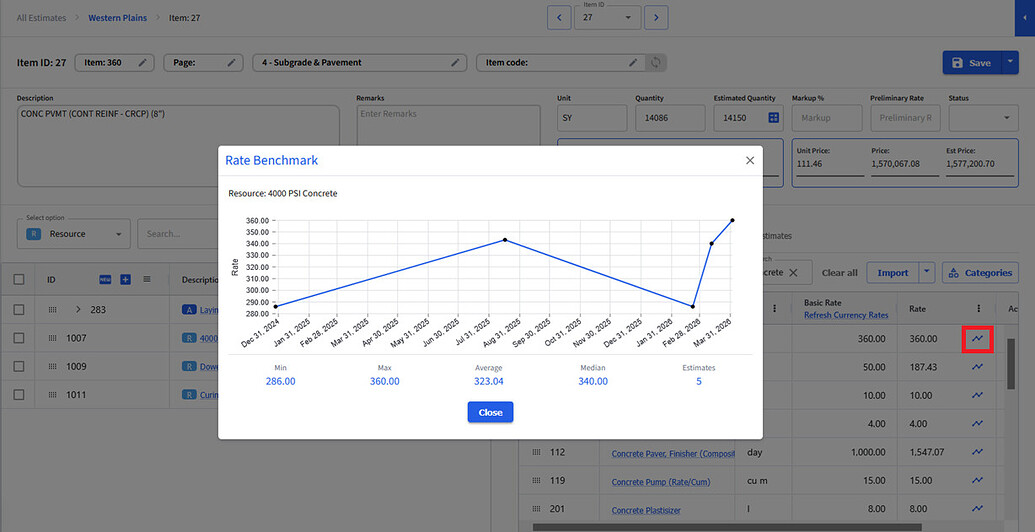
Ever wonder what you charged for a resource or activity in past projects? Now you can find out. Look for the new timeline icon next to any rate in the system — click it to see a history of that rate across previous estimates. A great way to gut-check your pricing and stay competitive.
|
|
|
|
|
New Feature
23 New Reports
We've added 23 new reports covering item categories, item resources, and cost code levels. More ways to slice your estimate data and get the detail your team — and your stakeholders — actually need.
|
|
|
New Feature
Advanced Cost Coding
In addition to existing cost coding features at the resource, activity, and pay item category levels, BidBow now also provides another layer of cost coding when company codes don't cleanly align to the estimating team's structure. Build your company cost code list and allocate codes to resources, activities, and item cost breakdowns to unlock reporting at more levels.
|
| — |
Build and manage your company cost code list in one place |
|
| — |
Allocate codes to resources, activities, and item cost breakdowns |
|
| — |
Get the new reports broken down at the cost code level for even deeper insight |
|
|
|
New Feature
Comment System
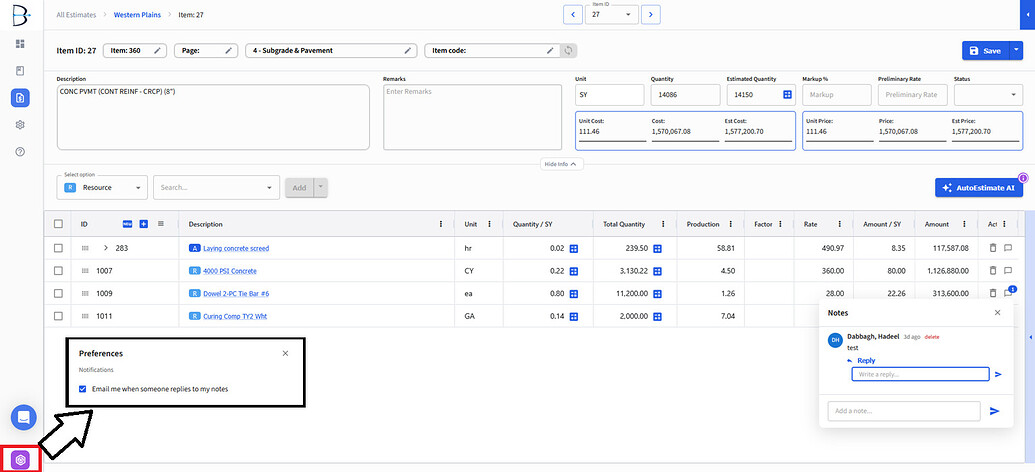
What looks like a simple comment bubble indicator is actually a full commenting system. Click the comment bubble on any item cost description to leave a comment — your teammates can reply, and you'll get an email notification when they do.
Don't want the emails? Turn off comment notifications anytime in your preferences.
|
|
|
|
|
Improved
Permission Management
We've made it faster to get the right people onto an estimate from the start.
|
| — |
Add team members at estimate creation — you can now add users directly from the creation modal, and that list is remembered next time so you can verify and adjust rather than starting from scratch. |
|
| — |
Multi-select in the permissions modal — add multiple users at once instead of one by one. |
|
|
|
New Feature
Compare Estimate Revisions
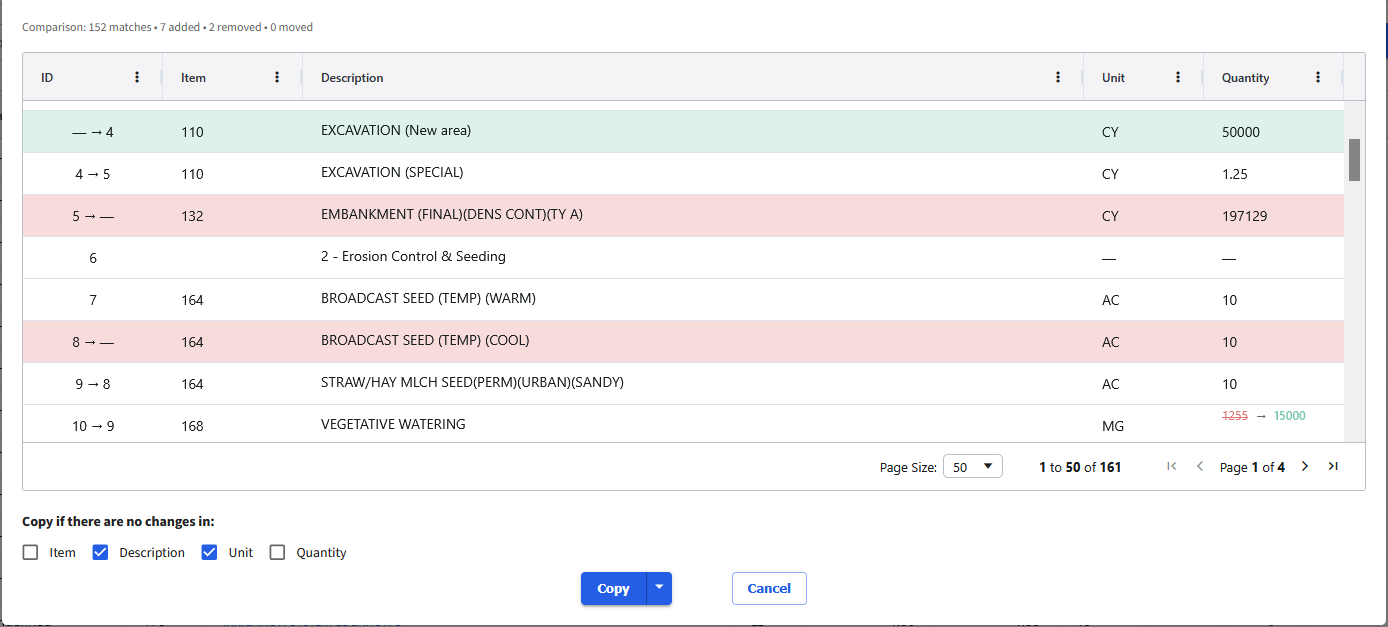
When the client sends a revised bid form or BOQ, you shouldn't have to start over. The new compare feature lets you bring a new revision alongside your original and carry over the estimating you've already done — saving time and protecting your work.
|
|
|
|
|
New Feature
Proposal Templates — Now With Multiple Templates
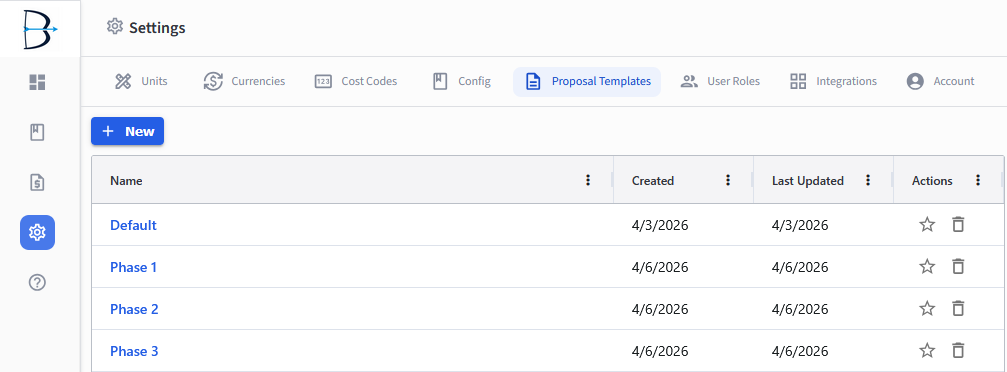
You've been able to save proposal templates for a while, but until now you were limited to a single template source for an estimate. That changes now — you can now create and manage as many templates as you need, apply the right one to each estimate, and even set a company default that auto-populates on every new proposal.
All templates are managed from Company Settings.
|
|
|
|
|
Improved
Template Sync Improvements
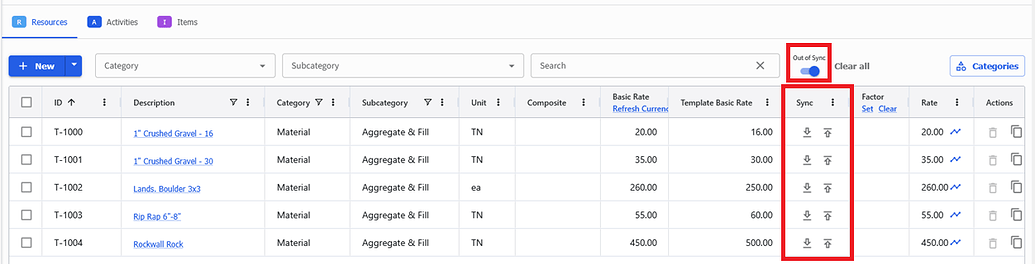
We've made several improvements to how template-based estimates handle syncing:
|
| — |
Resources with values that differ from the template now show both the sync and push-up icons simultaneously, so you can control every update granularly. |
|
| — |
A new Out of Sync toggle in the resource library lets you instantly filter down to only the records that need attention. |
|
| — |
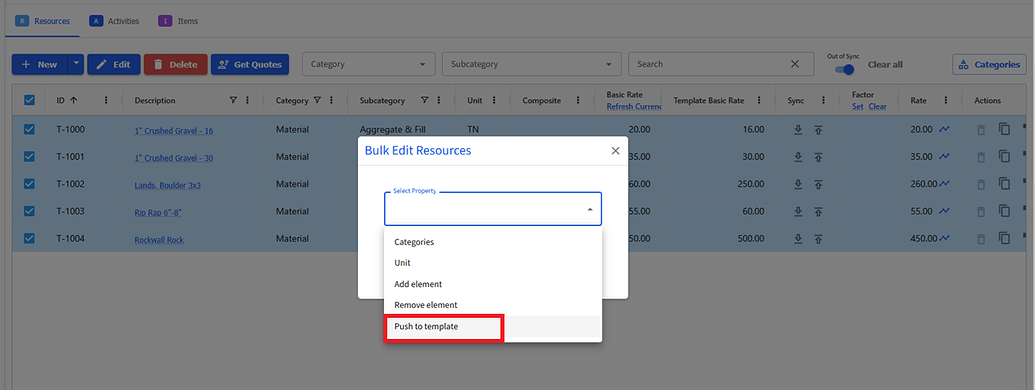
Push to template is now available in the bulk edit modal for resources, so you can update your template in bulk. |
|
| — |
The resource list now shows the template rate alongside your current rate, so you can see at a glance what's drifted from the baseline. |
|
|
|
|
|
|
|
New Feature
Item Detail View
Estimate line items now have a dedicated detail view. See all the breakdown information in one place and assign cost codes directly from there — without losing context on what you're working on.
|
|
|
|
|
New Feature
Calculation Sheet in Supplier Quote Side Panel
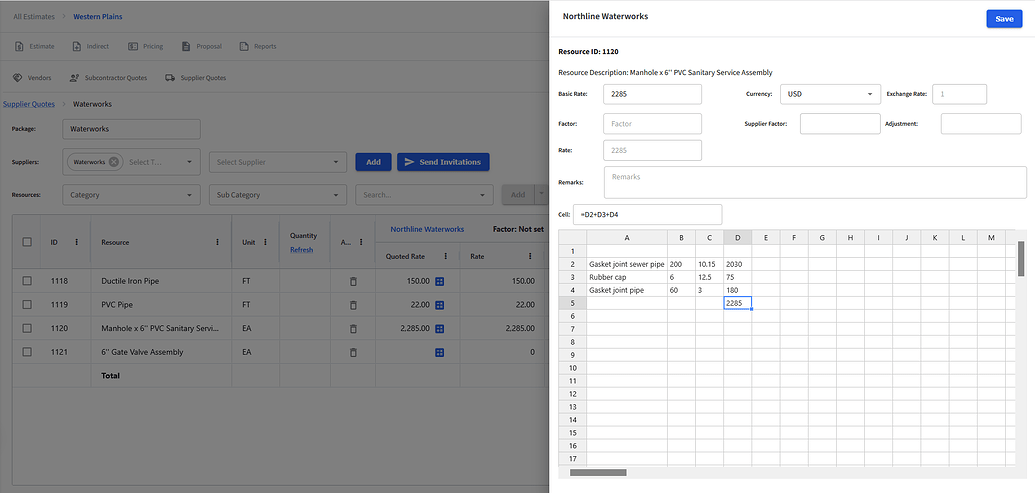
When you're working through the math of multiple supplier components to land on the right rate, you no longer need to reach for a separate calculator. There's now one built right into the supplier quote adjustment screen — do your math there and select the result to drop it straight into the quoted rate field.
|
|
|
|
|
Improved
Search, Filter, and Navigation Improvements
A set of improvements to help you find what you need faster and keep your list clean:
|
| — |
Filter items by blank description — quickly surface and clean up lines with no description that may have come through from a bid form, or takeoff import. |
|
| — |
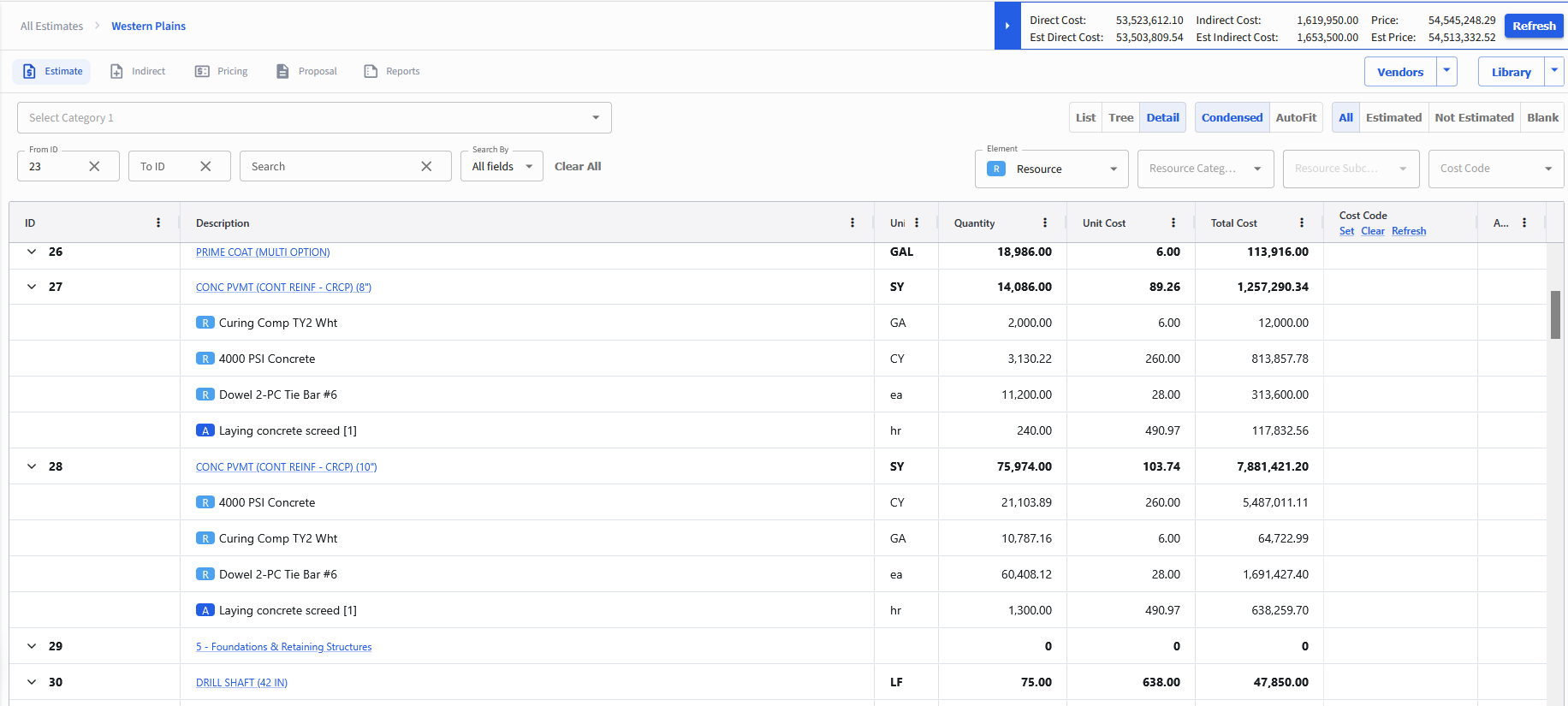
Filters retained on return — navigate away from the item list and come back to find your filters still applied. No more re-doing the same setup every time. |
|
| — |
Show Estimated / Not Estimated / All — toggle the item list to see exactly where you stand and focus on what still needs work. |
|
|
|
Improved
Performance Improvements
Reports load faster. The tree view is more responsive. We've been working through performance across the platform and these are the biggest wins from this release — with more to come.
|
|
|
Coming Soon
Deeper Takeoff Integrations
We're working on takeoff to estimating workflows and we're taking it seriously. Before we ship, we want to make sure our approach actually fits the way you work — not just the most obvious path.
We're looking for a select group of motivated users to get a sneak peek, share feedback, and help us make sure it works like a dream when it launches. Contact us at support@bidbow.com if you'd like early access — your input will directly influence the direction we take.
|
|






.png)